
Construction Queue: Star Trek Outposts Unknown
Construction not starting in Star Trek: Outposts Unknown? Check exact materials, the Crew Tasks queue and assignments before adding more building orders.
Start with one stalled order
A building can be waiting on an input, waiting behind other work, or already built but unable to operate. Treat those as separate states. This Guide covers the Windows launch release checked on 21 October 2026; it does not identify an unannounced numeric patch or cover the older demo.
Before you begin: reach the Outpost and Crew Overview screens through the opening tutorial. Keep the tutorial’s own required objectives active. The ? help hub in the upper-right can reopen unlocked explanations if a panel has not yet been introduced.
- Pause and select the specific building order. Read its requested materials and current state. Compare the named input with your stock; “metal” is not a substitute for every refined material or component.
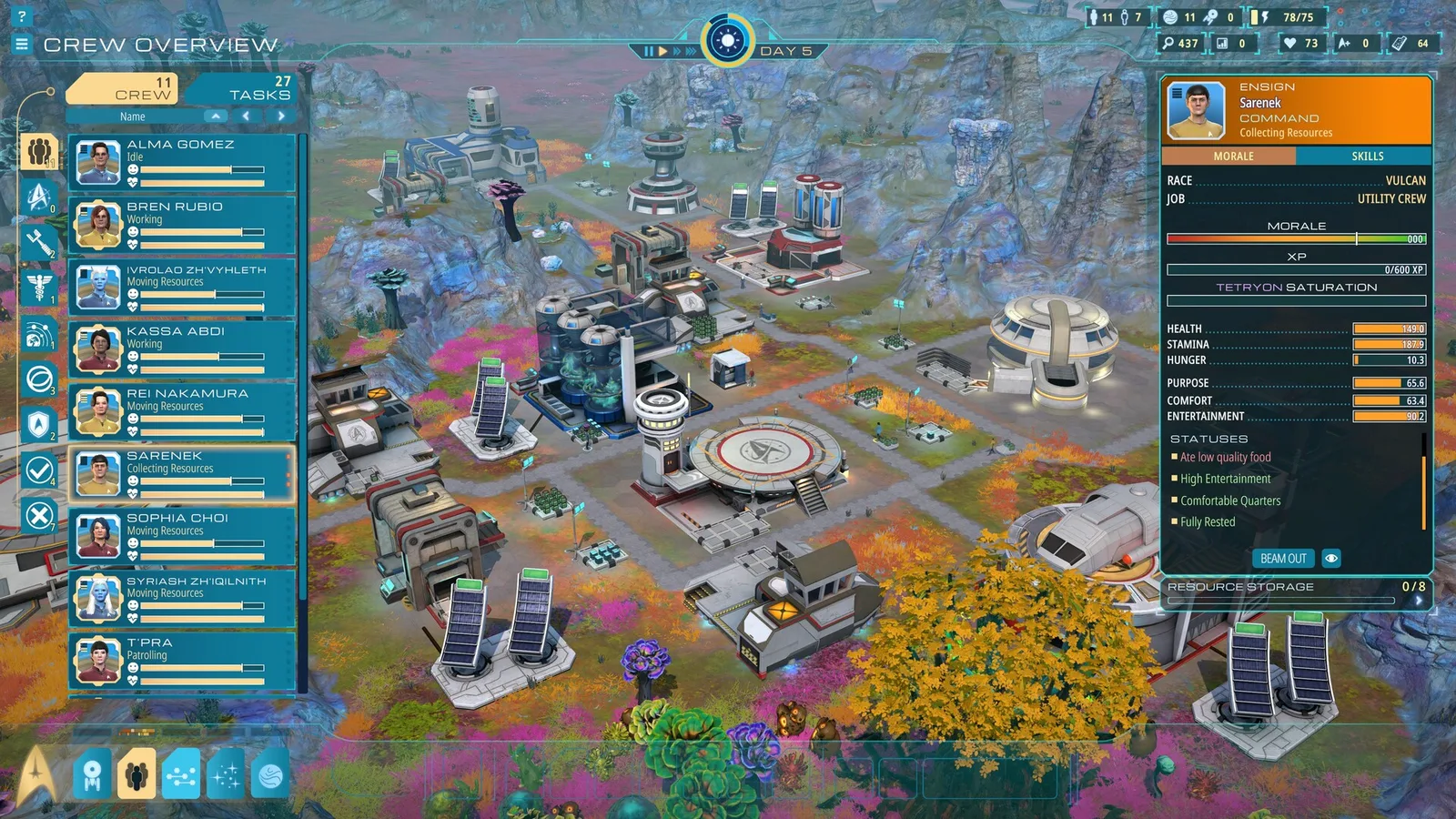
- Open Crew Overview and choose Tasks at the top of the personnel list. This shows current and queued work. Look for the order you are trying to complete rather than judging only from the outpost-wide stock total.
- Raise that task using its up arrow. Tasks normally enter the end of the queue. Optional long paths and other earlier orders can compete with the one building you need now. Use the down arrow to lower optional work when appropriate.
- Inspect who is occupied. In the specialized task display, review Resource tech, Recon and Utility crew assignments. The +/− controls change those assignments; do not remove every officer from a working production chain merely to make the queue shorter.
- Resume and watch this one order. Confirm whether its state or progress changes, then expand the next bottleneck. Add more construction only after you know whether the constraint is supplies, queued work or staffing.
Do not assume that raising a task instantly interrupts an officer’s current action. Follow the displayed task state; a priority change is a management control, not a guaranteed teleport or universal repair.
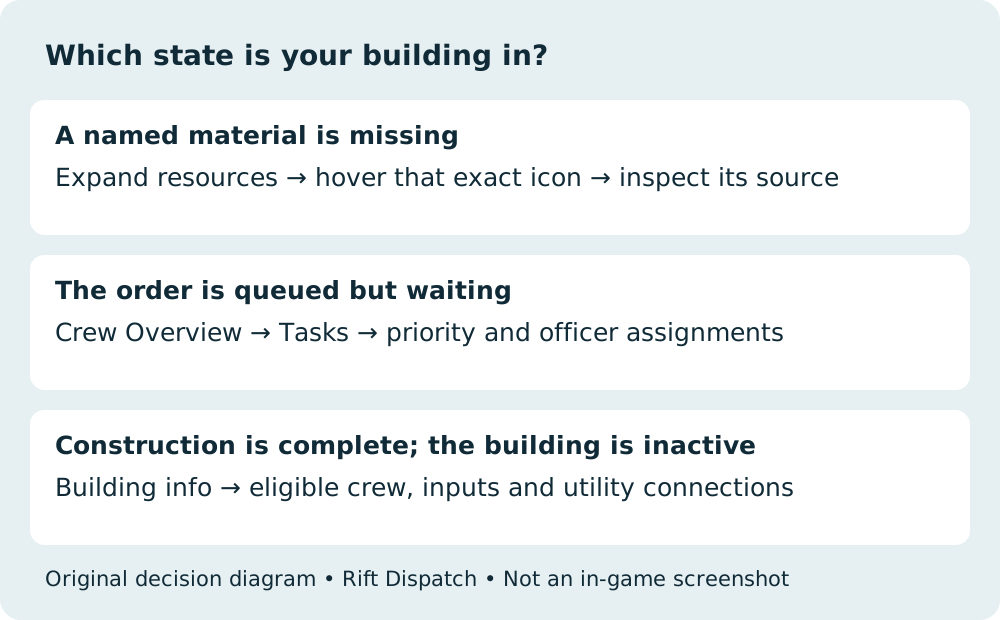
Match the symptom to the next screen
| What you can see | What to inspect next | What that check tells you |
|---|---|---|
| A named construction input is short | Expand the resource tracker, then hover that exact item | Where that resource can be obtained or produced |
| Inputs appear available but the order waits | Crew Overview → Tasks; current work and its queue priority | Whether other work is ahead of your order |
| Lots of scouting or hauling is active | Specialized tasks and officer assignments | Which jobs are consuming the crew’s time |
| The building exists but is inactive | Its information tabs, staffing and required utility connections | Whether the problem is operation rather than construction |
| The expected building category is absent | Operations Center upgrade state and current tutorial objective | Whether the category has been unlocked yet |
For material sourcing and power/water/computing connections, continue with Resources and Networks. Keep it open beside this page if the selected building names an unfamiliar input.
Use the Crew screen without abandoning other jobs
The Tasks list supports building assignments and specialized task views. Raising one urgent order is more controlled than starting several replacements and hoping the crew picks the right one.
- Keep resource production staffed if it supplies the blocked construction. Reassigning its officers may move the bottleneck upstream.
- Use the specialized + / − controls deliberately. Unassigned officers normally fall into Utility crew; “unassigned” does not mean they have no tasks at all.
- Check an operating building’s officer requirements. Some facilities accept a broad range of crew, while others need a particular division or rank. Its information window is more useful than assuming every available officer is eligible.
- Avoid leaving officers in generic Utility work indefinitely when a suitable formal assignment is available. Purpose is one of the crew’s needs; optimizing the queue should not ignore crew well-being.
Unlocking a building is a separate question
The Operations Center is the outpost’s main building-unlock structure. Its upgrades expand the available construction categories. If an expected category is missing entirely, check that progression before looking for an officer to build it. Press H to center the camera on the Operations Center.
Unlocking a structure is also different from operating it: open its information tabs for staff and utility needs. Physical power, water and computing conduits are covered in the network checks.
When the queue checks do not explain the stall
A launch player reported a building waiting despite apparently sufficient metal. That is evidence of the problem players encounter; it does not establish a universal cause or prove the queue controls fix that particular save.
If the selected order has all named inputs, relevant crew are available, and its priority does not explain the wait, record the building, task state, officer jobs, current objective, platform and exact game version. Include the resource and Tasks panels when reporting it. Do not destroy the colony or overwrite your only save based on an unverified workaround.
For Inert Roots, a separate player reported no progress after assigning scientists. No exact, corroborated quest solution was available at this review. This page therefore does not promise a story walkthrough or substitute a different investigation’s requirements.
Browse the launch Guides for the next task, or read how Rift Dispatch edits and corrects Guides.
Related Articles
Was this helpful?
Thanks for the feedback!